Xml Parser Tool Released
We released c++ dll (XML Parser), which allows to work with XML files from Metatrader (mql) and Tradestation.
Photo by Maxim Hopman on Unsplash


We released c++ dll (XML Parser), which allows to work with XML files from Metatrader (mql) and Tradestation.
Photo by Maxim Hopman on Unsplash

Meet new feature: Order Watcher! Now you can check every order that was sent to Followers. You will know if your order is copied and which licenses and MT4 accounts got it. If you closed any order, you can see whether it was closed on Followers or not. Photo by Wance Paleri on Unsplash
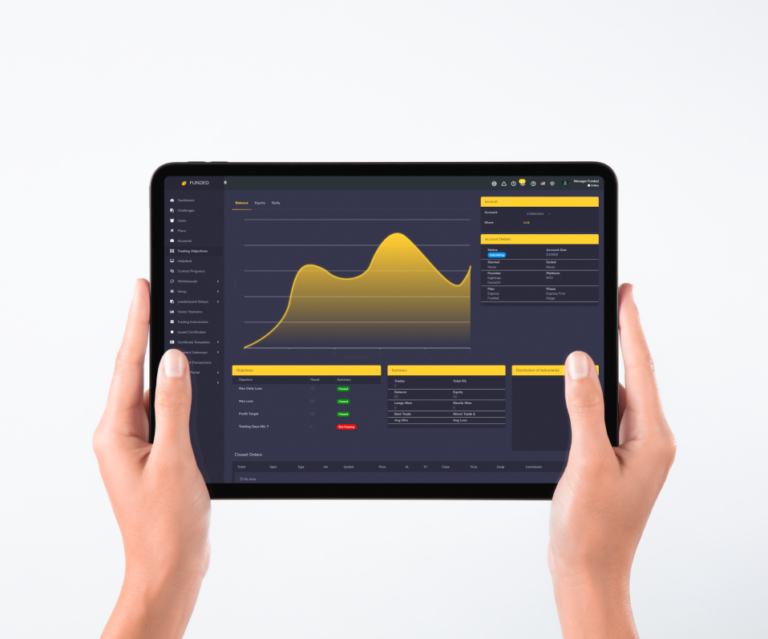
We are ready with the following new modules for SmartTradeCopier: As everything in EasyCopier all new modules work in real-time. Once you open/close position, you instantly can see it in Reports or Statistics module. Additional updates We updated Twitter, Facebook and SMS modules. Now you can easily change your account options in web panel. Email…
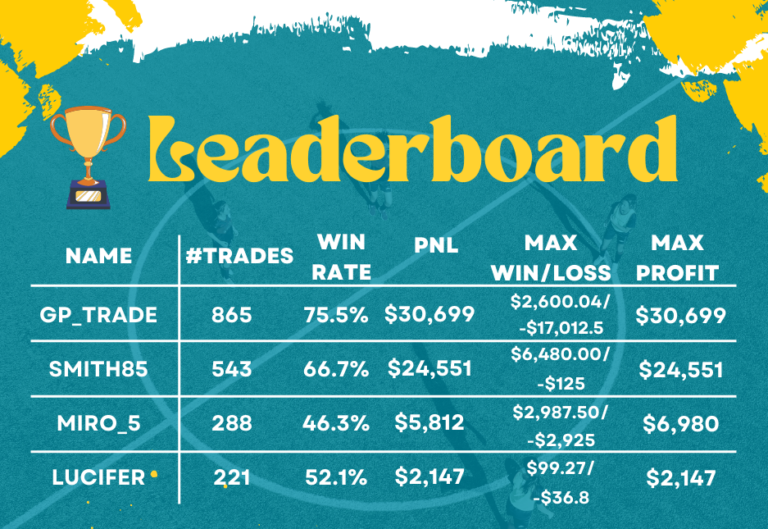
We finally implemented the support for MetaTrader 5! In our Prop Trading Dashboard you can set up your own Leaderboard and incorporate it to any website to increase the motivation of traders and add a little bit of game (or competition) to the work. With this new feature you can create the following types of…

We are constantly improving our products and services and are proud to present you our all-in-one solution consisting of the following parts: WordPress Website Want to open a prop trading firm but don’t know where to start? Now we provide services to build a promotional website for a prop firm. We will create a landing…

Make work with your system as easy as possible! Dev4Traders team presents new Help System feature integrated to web panel. Now you can add all necessary information to the dedicated section and make it more accessible. Create your own help system which allow traders become more effective. Your own help system let you keep all…

Did you know that our funded dashboard has such a useful feature as impersonation?You can login to the Funded Prop Trading Panel as a manager, go to the Users menu and then click the Go link in the Imp column for the user whose panel you want to view.This feature allows the manager to quickly…